
How Bitrix24 Helps Architecture, Interior Design and Fit-Out Firms Keep Drawings, Approvals and Billable Hours in One Platform
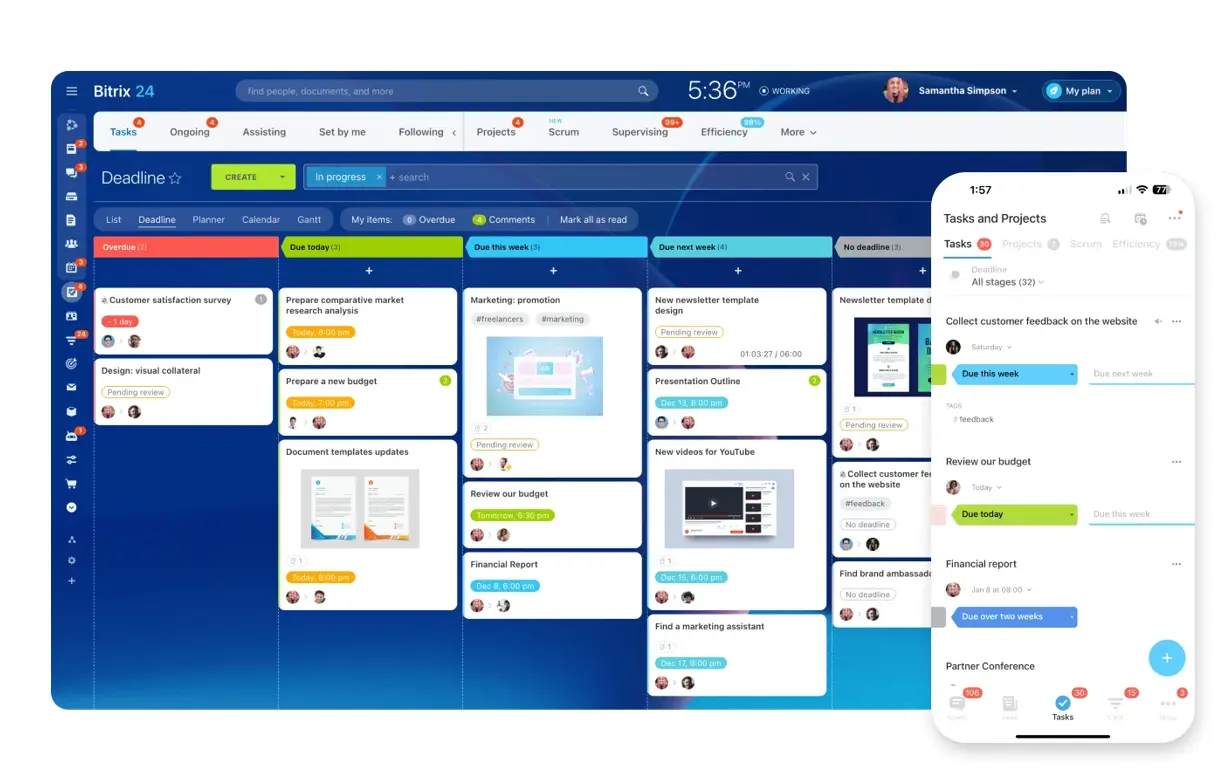
Project boards and mobile access in Bitrix24 · © Bitrix24
An architecture or interior design practice sells drawings, but it runs on decisions. A concept goes out on Tuesday, the client marks it up over WhatsApp on Thursday, the contractor asks for a revised elevation on Friday, and by the time the fit-out crew is on site nobody is completely certain which version of the layout is the approved one. Add three or four live projects, a couple of freelance draughtsmen and a client who signs off in a meeting then changes their mind by email, and the studio's real bottleneck stops being design talent. It becomes the trail of approvals, revisions and hours that nobody has time to write down.
Bitrix24 does not market itself as architecture software. What it does publish is an official workspace for professional service firms — practices that sell expertise, bill by time and live on client relationships — and that description fits a design studio almost exactly. Everything below comes from Bitrix24's own product and industry pages, listed at the end.
Each project gets a workgroup, not another folder on the drive
Bitrix24's guide to creative project delivery describes workgroups as dedicated spaces per client or campaign, each holding task boards, calendars, shared files, discussions and chat in one place. For a studio that maps cleanly onto one workgroup per project — the villa in Al Barsha, the clinic fit-out in Business Bay — with the concept, the drawing register, the client correspondence and the site photos inside a single container instead of scattered across a drive, a mail folder and somebody's phone.
The same page notes each group can be tailored to the people involved, including external contractors. That matters in a discipline that routinely pulls in an MEP consultant, a 3D visualiser or a joinery subcontractor for six weeks and then releases them. Bitrix24 also supports task templates with pre-loaded checklists, default roles and dates scheduled relative to the project start date, so a practice that runs the same concept-to-handover sequence on every job can generate the full task list in one step rather than retyping it.
Gantt timelines for a business where one delay moves everything
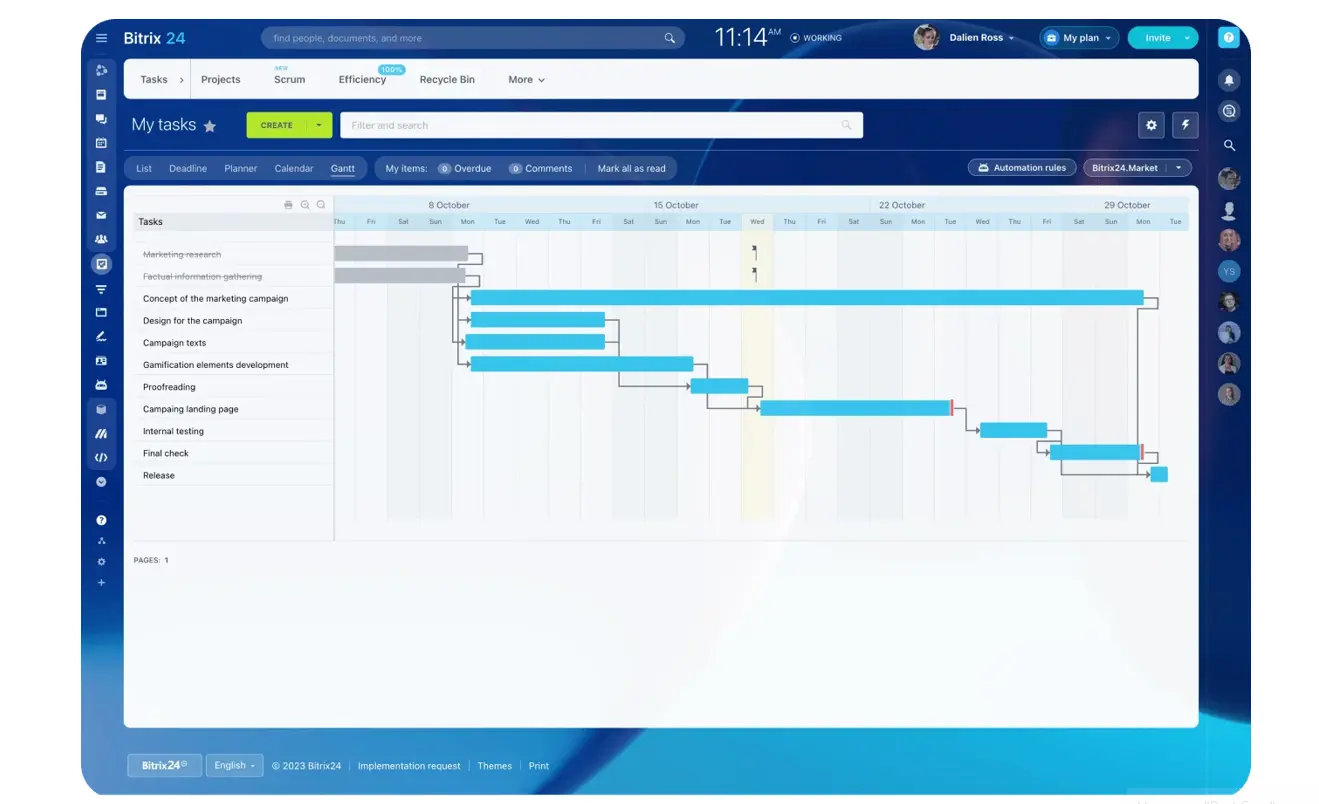
Gantt timelines and task dependencies in Bitrix24 · © Bitrix24
Bitrix24 offers Gantt charts to map project phases, dependencies and deadlines, and Kanban to visualise stages such as briefed, in progress, waiting for approval and done. Its professional services page lists Kanban, Gantt and Scrum as interchangeable frameworks, with views that can be toggled per user so a project lead and a draughtsman each work the way that suits them. In a design practice the dependency chain is the whole problem: the authority submission waits on the stamped drawing, which waits on the structural comment, which waits on the client choosing a finish. A timeline view makes the cost of one late decision visible before it eats the handover date rather than after.
Bitrix24's own advice is to give the steps that usually stall their own subtasks and deadlines — client feedback due, final approval — and let automated reminders chase the stakeholder instead of the project architect. Its automation rules can assign a follow-up task when a status changes, or nudge people as a due date approaches.
Revisions and comments that stay attached to the drawing
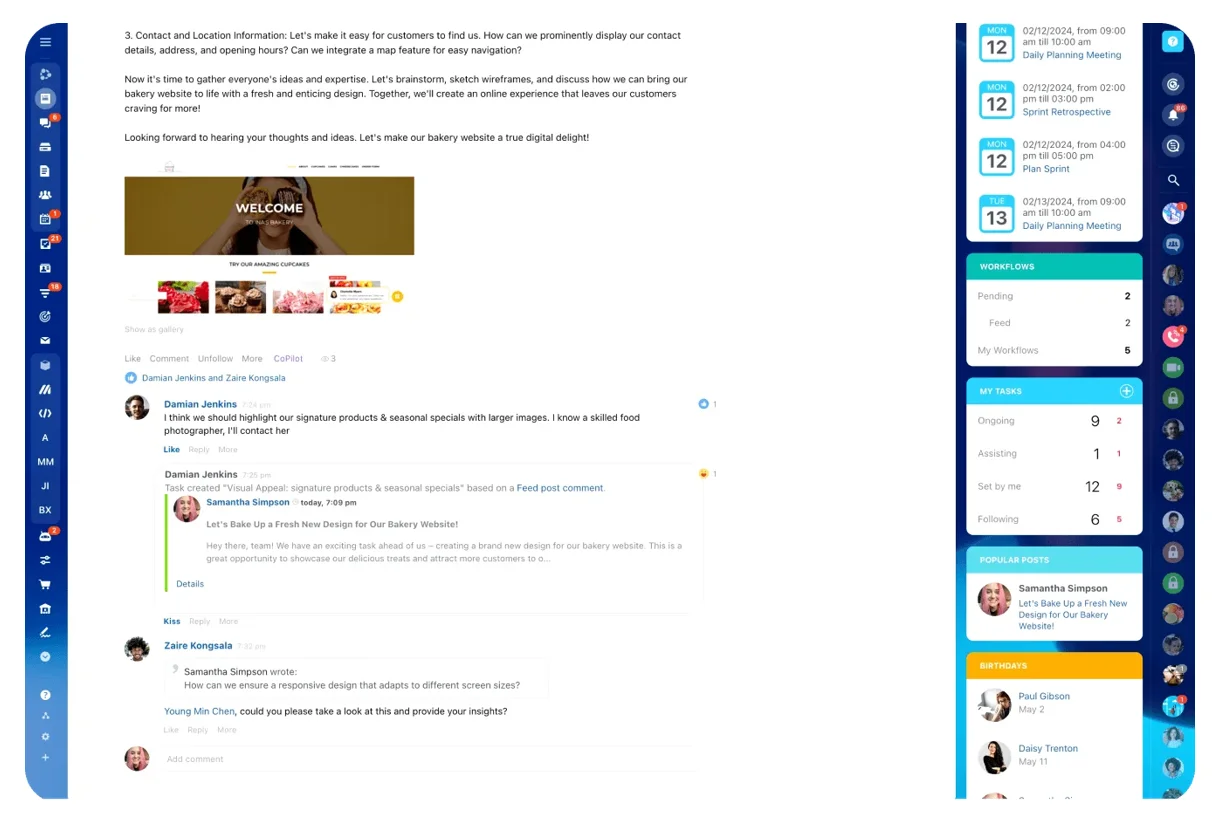
In-task comments keep feedback with the deliverable · © Bitrix24
Every task in Bitrix24 accepts file uploads, so drafts sit with the deliverable they belong to, and reviewers leave feedback in the task's comment section with mentions and a timestamped trail. Bitrix24 is candid that it does not impose strict version control: it recommends uploading successive versions under clear naming and keeping them in the task thread so earlier rounds stay accessible and approvals can be traced back. For any studio that has issued the wrong revision to a contractor, having "which file is current" answerable in one place is worth more than most feature lists.
The same article is equally honest about a limit. For highly visual work that needs frame-by-frame or on-image markup, it suggests pairing Bitrix24 with a dedicated markup tool while Bitrix24 remains the central system for tasks, files and client communication. Worth knowing before you assume it replaces your redline workflow outright.
A client portal that shows progress without opening the studio floor
Design clients want visibility; studios need somewhere to argue about a detail before it is presentable. Bitrix24's professional services page describes a client portal in which each project carries a complete communication history, clear timelines and automated workflows. The creative delivery article spells out the boundary: clients get a dedicated space to view progress, download deliverables and leave comments, without being exposed to internal discussions, tasks or resources. The recommended pattern is internal-only workgroups for the messy middle, and a clean portal that shows approved output.
Behind it sits the multichannel Contact Center, which Bitrix24 describes as connecting email, phone, chat and social media into one unified inbox with call and chat logs. The client who sends a revised finishes schedule over WhatsApp at 9pm lands in the same record as the one who emails it.
Winning the work: estimates, contracts and e-signature
Bitrix24's sales enablement page covers the front half of a project. Estimates can be created in one click from a deal with client name, items and amounts filled in automatically, saved as reusable templates, and linked back to the deal, lead, contact or company so the interaction history stays intact. Invoices work the same way and can be sent automatically when a deal reaches a chosen pipeline stage — useful for practices billing in fixed stage payments at concept, tender and handover.
Bitrix24 Sign handles the signature itself. The page describes it as UETA and ESIGN compliant, integrated with CRM so fields autopopulate from the related deal, supporting saved document templates, and delivering the signing link by email, SMS or WhatsApp with no Bitrix24 account required for the person signing. For appointment letters, variation orders and stage sign-offs, that removes the print-scan-courier loop entirely.
One detail on the same page is easy to miss and genuinely useful here: the product catalogue includes a separate service entity for service-based businesses and accepts custom fields such as dimensions, so a studio can price by area or by drawing package instead of forcing everything into a product list.
Billable hours, workload and where the margin actually goes
Design practices lose money quietly — in the fourth revision nobody scoped, and the site visit nobody logged. Bitrix24's professional services page describes time logging linked to tasks, time logs with approvals, workload dashboards showing who is overloaded, and task progress reports that measure delivery against estimates, with the resulting data feeding invoicing and planning. The same page lists an AI assistant for drafting proposals, generating checklists and summarising long threads.
On licensing, Bitrix24 states a flat-fee model with no per-user pricing and a free tier for unlimited users, which suits a studio whose headcount rises and falls with the project pipeline. Plan prices change, so check Bitrix24's current pricing page before you budget rather than relying on any figure quoted in an article.
Where a partner comes in
None of this is exotic; all of it is configuration. The questions that decide whether a design practice is still using Bitrix24 in month three are local ones. What are your drawing stages called? Which approvals are gates and which are courtesies? Does the client portal show the programme or only issued deliverables? How does a variation become a billable line, and who is allowed to see fee data at all? Bitrix24 itself points firms to local partners for implementation, customisation, training and integrations, and lists 500+ apps plus a REST API for the connections a studio needs.
That is the work we do. B24 Biz Solutions is an official Bitrix24 partner based in Dubai, and we set up the workgroup template, the timeline structure, the client portal boundary and the e-signature flow around the way your practice actually issues drawings — so the system reflects your studio rather than a generic professional services demo.
Sources
- Bitrix24 — Professional service firms: client portal, Kanban/Gantt/Scrum frameworks with per-user views, time logs and approvals, workload dashboards, task progress reports, AI assistant, integrated CRM, multichannel Contact Center, 500+ apps and REST API, local partner support
- Bitrix24 — Streamlining project delivery for creative agencies: workgroups per client, task and subtask ownership, task templates, in-task file uploads and comments, version naming guidance, client portals, automation rules, and the recommendation to add a markup tool for highly visual review
- Bitrix24 — Sales enablement: estimates linked to deals with autofill and templates, rule-based invoicing by pipeline stage, Bitrix24 Sign (UETA and ESIGN compliant, CRM autopopulation, link via email/SMS/WhatsApp, no account needed), product catalogue with a service entity and custom fields, flat-fee pricing with no per-user charge
Running an architecture, interior design or fit-out practice?
We help design studios, architecture practices and fit-out contractors across the UAE, Middle East and South Asia set up Bitrix24 project workgroups, Gantt timelines, client portals, estimates and e-signature and time tracking — configured around your drawing stages and your approval gates, not a generic template.
Book a free consultation →