
How Bitrix24 Helps Equipment Rental and Machinery Hire Companies Track Assets, Bookings and Off-Hire in One Platform
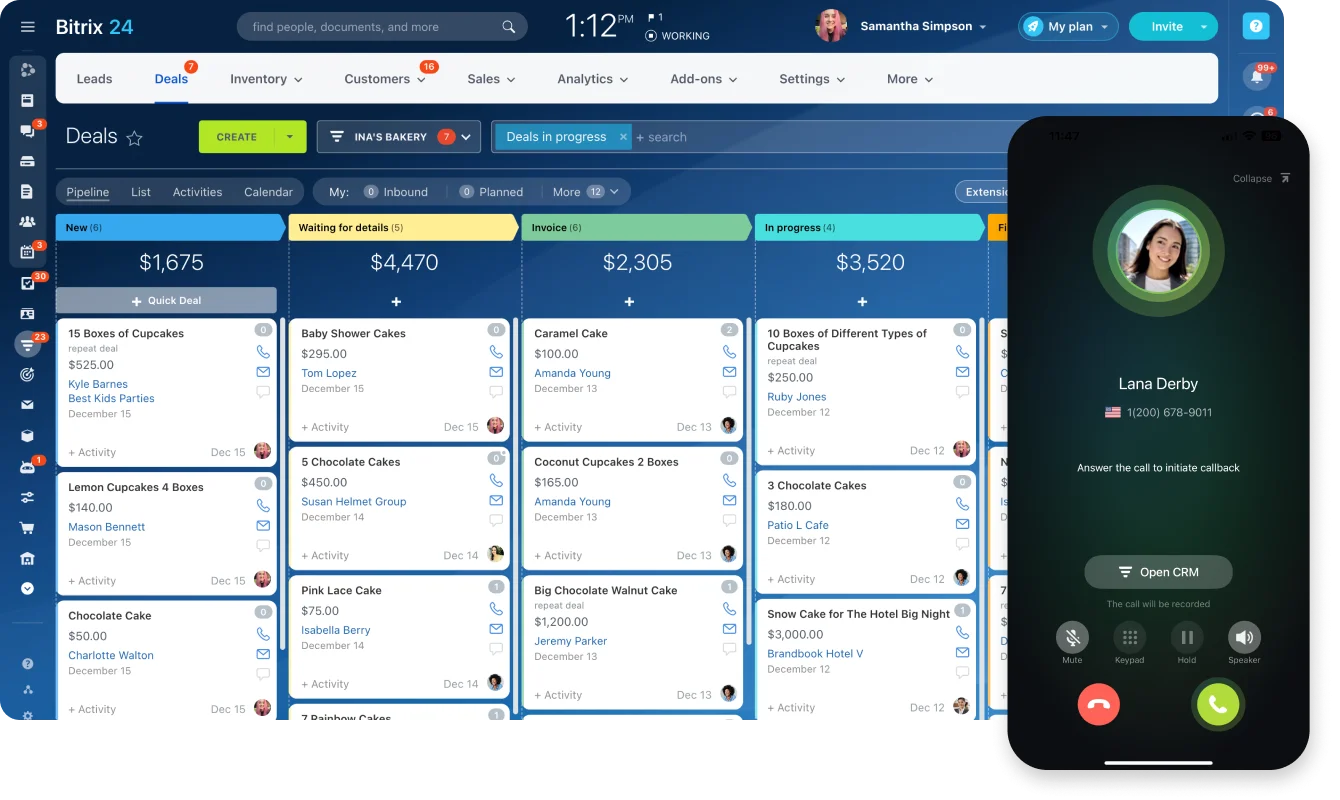
The Bitrix24 CRM workspace, where deals, quotes and invoices live · © Bitrix24
A generator goes out on a Thursday, the site keeps it nine days longer than the contract says, nobody raises the extension, and the invoice goes out for the original three days. A scaffolding enquiry lands on WhatsApp at 8pm and is never written down anywhere. Two salespeople promise the same boom lift to two different sites on the same Tuesday morning. None of this is exotic. It is simply what happens when a hire desk runs on a shared spreadsheet, a WhatsApp group, and one person's memory of what is actually parked on the yard.
Equipment rental is an awkward fit for most CRM software, because a normal CRM assumes you sell a thing once. A rental business sells the same asset over and over. It has to know whether that asset is free on a given date, get it delivered and collected, keep it serviced, and only discovers its real margin after the repair bill lands. Bitrix24 is one of the few platforms that puts booking, stock, contracts and job scheduling in the same account as the CRM. Every capability described below comes from Bitrix24's own product and help pages, listed at the end.
Start with the pipeline, not the spreadsheet
Bitrix24's CRM covers the ordinary sales motion: capture leads, turn them into deals, receive payments and track sales metrics. For a hire business, the useful part is what feeds it. The Contact Center is an omnichannel front door — web forms, website widgets, live chat, WhatsApp, Instagram, telephony and email all arrive in the same place, which is how the 8pm WhatsApp enquiry stops disappearing into somebody's personal phone.
Quotes and invoices are built into the CRM rather than bolted onto it: you create quotes, raise invoices and track payments inside Bitrix24 instead of switching to a separate billing tool. Automation then handles the chasing. Bitrix24 supports automated client notifications by SMS or email, customisable triggers that move deals down the pipeline as their status changes, and automatic notifications to your own reps based on deal status. An off-hire reminder three days before the contract end date is exactly the kind of rule this exists for.
Booking: the piece most CRMs are missing
This is the feature that makes Bitrix24 unusually relevant to hire companies. Bitrix24 describes Booking as a tool for customers to make appointments with specialists and to rent rooms and equipment — and equipment rental is one of the business areas it ships with, named specifically for construction, sports and event equipment. Car rental, covering cars and special vehicles, is another.
In Booking, a resource is any person, machine or facility needed to deliver a service, so excavators, generators and lifting gear each become bookable resources on a shared schedule. Several details matter in daily use. Clicking the availability icon beside a resource shows how many slots are already taken on a given day and what percentage of it remains free, which is how you answer "can you do Tuesday?" without walking the yard. Resource bundles let you book a main resource together with an additional one — the machine and the operator, or the machine and the trailer. Automated messages remind customers about the booking and ask them to confirm it. Entries are colour-coded so that confirmed, unconfirmed and late customers are visible at a glance, with counters showing how many still need chasing. Booking also reports the number of new customers plus revenue per resource and total revenue for the day, drawn from the amount on the linked deal.
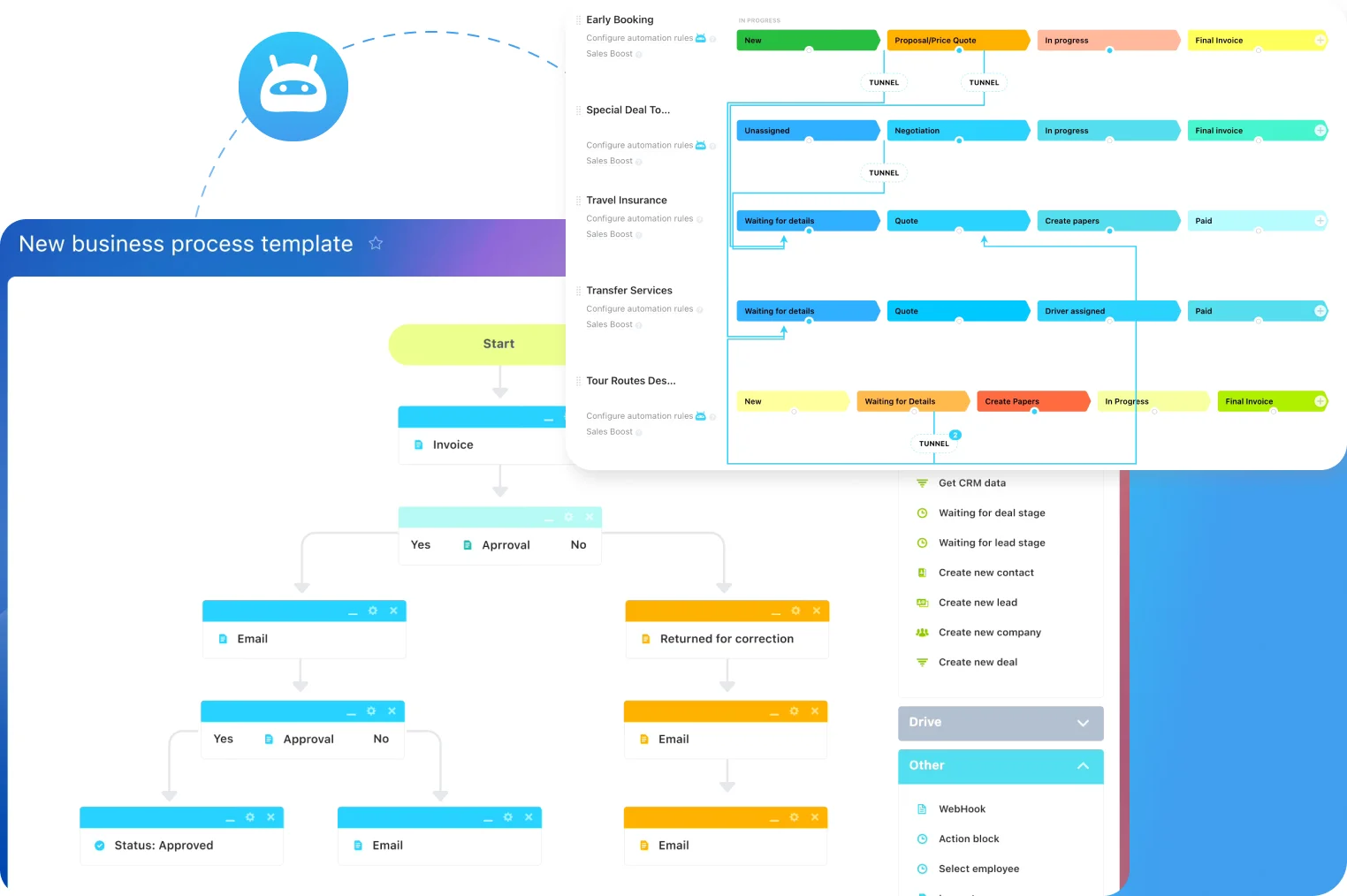
Deals and customer timelines in Bitrix24 CRM · © Bitrix24
Bookings also work from inside the CRM: open a deal, click Booking in the timeline, choose a slot, and the reservation is saved both in the Booking section and on the customer's own record, so hire history sits with the account rather than in a separate diary. One honest caveat worth planning around — Bitrix24 notes that cancelling a booking does not send the customer a notification, so a cancellation still needs a human phone call.
Knowing what is on the yard, what is out, and what is written off
Bitrix24 Inventory Management tracks products across warehouses, with stock receipts, sales orders, transfers and write-offs recorded in one place. Every inventory operation is saved, the team can update stock online, and stock movement and warehouse activity can be monitored in real time. Bitrix24 describes the wider picture as full traceability from supplier to customer, multiple warehouses managed from a single dashboard, real-time order and inventory updates, and integration with the CRM and the product catalogue.
For a hire business the mapping is fairly direct. Multiple warehouses become depots or yards. Transfers become the depot-to-depot moves that usually go unrecorded until something goes missing. Write-offs become the item that came back damaged, or never came back at all. It is worth being straight that this is a stock and warehouse model rather than a purpose-built serialised asset register — but it is switched on from inside the CRM section, you choose a costing method when enabling it, and it produces a gross profit report, which is considerably more visibility than most hire desks have today.
Contracts and handover paperwork without a printer
Rental agreements, delivery notes and damage waivers are where hire businesses quietly lose hours. Bitrix24's Sign tool lets you upload a document or pick one of your previously used templates, add sender, recipient and common detail blocks, and configure the signature and stamp fields — including their size and placement — before sending. The document then goes out by email or by SMS, and the recipient is notified. Bitrix24 is explicit that this is an electronic signature rather than a digital one, a distinction worth checking against your own contract requirements before relying on it for high-value agreements.
Delivery, collection and servicing as scheduled work
Everything that happens after the contract is signed is really just task management, and Bitrix24 ships the usual set: Kanban boards, Gantt charts, Scrum, a calendar and a plain task list, alongside checklists, task time tracking and task reports. Planned maintenance intervals and repeat inspections fit into recurring tasks and task templates, so a service due on a fixed date stops depending on somebody remembering it. Task automation covers the routine moves — creating a task, changing the responsible person, changing a task status or Kanban stage, or sending a notification or email to a particular employee — which is how a completed collection job can nudge the next step without anyone chasing. Drivers and yard staff work from the Bitrix24 mobile app, which covers sales, clients and the team from a phone.
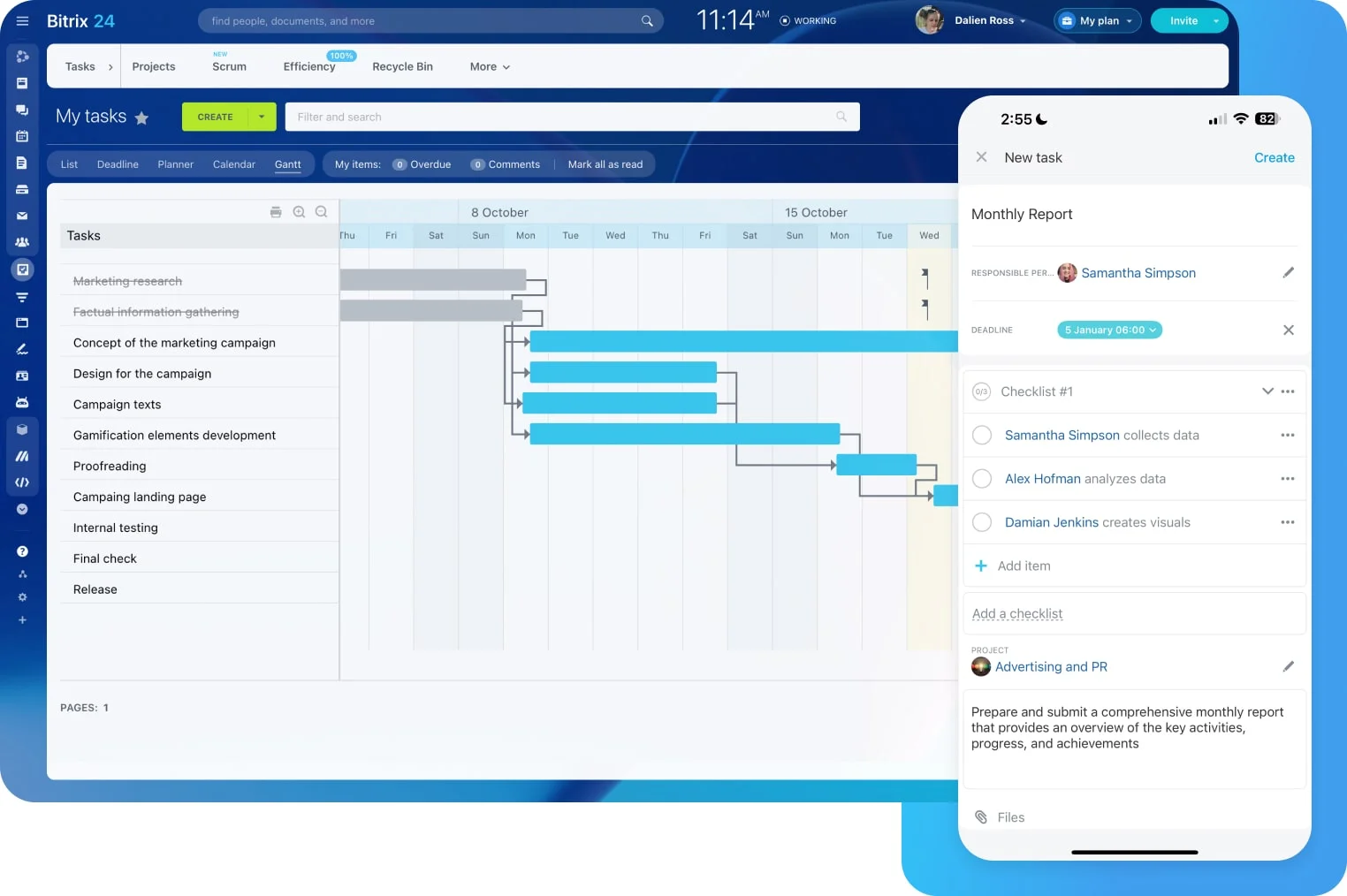
Task boards and project views in Bitrix24 · © Bitrix24
Where a partner comes in
Two practical notes before anyone starts. First, both Booking and Inventory Management are plan-dependent — Bitrix24's own help pages tell you to check whether the feature is included on your plan, so the plan should follow the features you actually need rather than the other way round. Second, none of this is useful straight out of the box. Booking resources have to be modelled to match your real fleet, the deal pipeline has to reflect how a hire actually moves from enquiry to off-hire to invoice, and the automation rules that catch overdue returns have to be written around your contract terms.
That configuration work is what B24 Biz Solutions does. We are an official Bitrix24 partner based in Dubai, working with rental, construction and equipment businesses across the UAE, the wider Middle East and South Asia — setting up the pipeline, the bookable resource list, the depot and stock structure, the contract templates and e-signature flow, and the reminders that stop assets quietly staying out on hire for free.
Sources
- Bitrix24 Helpdesk — Booking: Getting started: Booking as a tool for appointments and for renting rooms and equipment, equipment rental (construction, sports, event equipment) and car rental business areas, resources as people/equipment/facilities, automated reminder and confirmation messages, colour-coded entries and counters, resource availability percentage, resource bundles, and per-resource and daily revenue statistics
- Bitrix24 Helpdesk — Booking in CRM: scheduling from a deal timeline, booking data saved in both the Booking section and the customer record, editing, confirming and cancelling from the CRM form, and the note that cancelling a booking does not notify the customer
- Bitrix24 Helpdesk — Bitrix24 Inventory Management: tracking products across warehouses, stock receipts, sales orders, transfers and write-offs, real-time monitoring of stock movement, enabling from the CRM section, costing method selection and the gross profit report
- Bitrix24 — Inventory Management In Bitrix24: full traceability from supplier to customer, multiple warehouses managed from a single dashboard, real-time order and inventory updates, and integration with Bitrix24 CRM and the product catalogue
- Bitrix24 — CRM: leads to deals, payments, inventory and e-signed documents in one CRM, automated client notifications by SMS or email, customisable triggers that move deals down the pipeline, rep notifications based on deal status, omnichannel Contact Center with web forms, widgets, live chat, WhatsApp, Instagram, telephony and email, mobile CRM, and analytics and reports
- Bitrix24 — CRM with Invoicing: creating quotes and invoices and tracking payments inside Bitrix24 rather than in a separate billing tool
- Bitrix24 — Task and Project Management: Kanban board, Gantt chart, Scrum, calendar and list views, checklists, task time tracking, task reports, task templates, recurring tasks, and task automation covering task creation, responsible person, status and Kanban stage changes and employee notifications
- Bitrix24 — Create and send electronic documents for signing with the Bitrix24 Sign tool: uploading a document or using a previously used template, sender/recipient/common blocks, configurable signature and stamp size and placement, sending by email or SMS, and the clarification that Bitrix24 Sign is an electronic rather than a digital signature
Running an equipment rental or machinery hire business?
We help rental, plant hire and equipment businesses across the UAE, Middle East and South Asia set up Bitrix24 booking resources, hire pipelines, depot and stock structures, rental agreements with e-signature and off-hire reminders — configured around your fleet and your contract terms, not a generic template.
Book a free consultation →