
How Bitrix24 Helps Franchise Networks and Multi-Branch Businesses Run Every Location on One System
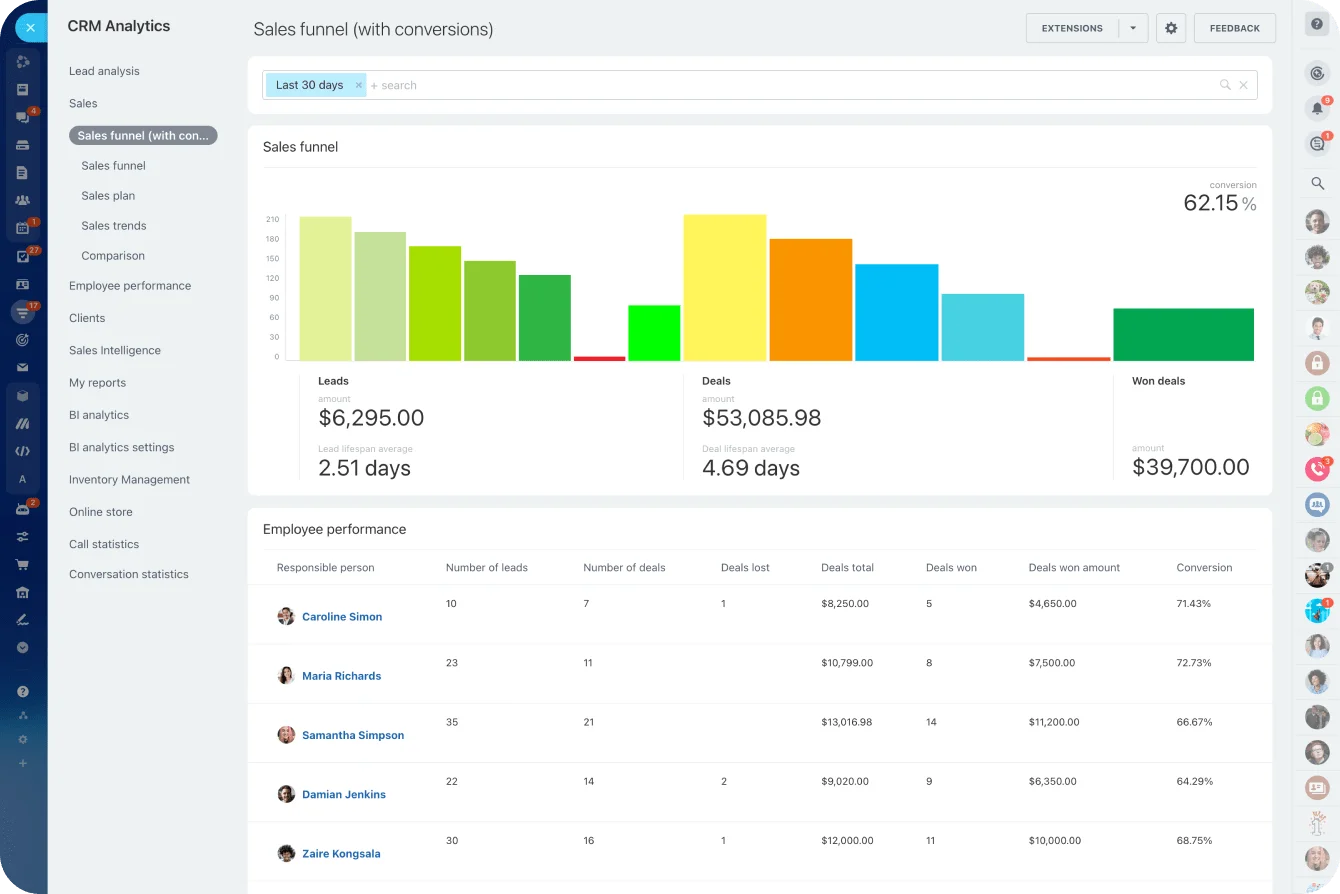
Sales funnel analytics in Bitrix24 CRM · © Bitrix24
Franchise networks, dealer groups and companies with several regional offices face a problem single-site businesses never encounter: every location is simultaneously part of one brand and its own small business. Branch managers want to run their own pipeline, their own team and their own day. Head office wants consistency, visibility and one set of numbers it can trust at month-end. Most groups bridge that gap with WhatsApp threads, a shared spreadsheet and a monthly call where everybody reports slightly different figures.
The two obvious software answers are both bad. One shared CRM for the whole group means every branch can see everyone else's clients and nobody's process quite fits. A dozen unconnected systems means head office is blind until someone emails a report. Bitrix24 takes a third route: each location keeps a genuinely separate workspace, and those workspaces are connected into one network that head office can see and manage.
One network, many separate workspaces
Bitrix24's Branch Network is built for exactly this shape of company. Its documentation describes it as designed for large companies made up of multiple divisions — subsidiaries, regional offices, dealers or franchise locations — where each division has its own employees and workflows. You connect multiple Bitrix24 accounts into a single structure and switch between them from one widget.
What matters most is what stays separate. Each connected branch remains its own Bitrix24 account with its own company structure, CRM, Feed, Tasks, chats and integrations. A franchisee in Sharjah is not browsing leads belonging to the Abu Dhabi location. Employees can only access the branches they have been added to, so if a regional accountant needs three locations they are added to all three explicitly. That permissions model matches how franchise agreements actually work, and it quietly removes the awkward conversation about whether one franchisee can see another's customer list.
The setup rules are worth knowing before you plan a rollout. The main account must be on an active Enterprise plan, connected branches need a paid plan of their own, and the head account and all branches must sit in the same domain zone. A branch joining on the Free plan gets a 15-day trial. Head-office administrators manage the network from a branch menu offering Copy address, Invite employees, Employees, Structure and Disconnect. Under Bitrix24's published rules for the feature, only a user with administrator rights on both the head account and the branch can connect that branch, and only a head-office administrator can disconnect one.
Every location runs its own pipeline
Because each branch has a full CRM rather than a filtered slice of a shared one, location managers genuinely run their own sales process — their own deal stages, assignment rules and follow-up cadence. That matters when a city-centre showroom and a suburban service centre sell in visibly different ways.
Head office still sets the pattern. A standard pipeline, standard fields and standard automation rules can be designed once and used as the template every new location starts from, rather than each franchisee inventing their own stages in month one. Bitrix24's rules and triggers handle the repetitive parts without code: move a deal to the next stage and a task is created automatically, a notification fires, an invoice request goes out.
Standardising how the work actually gets done
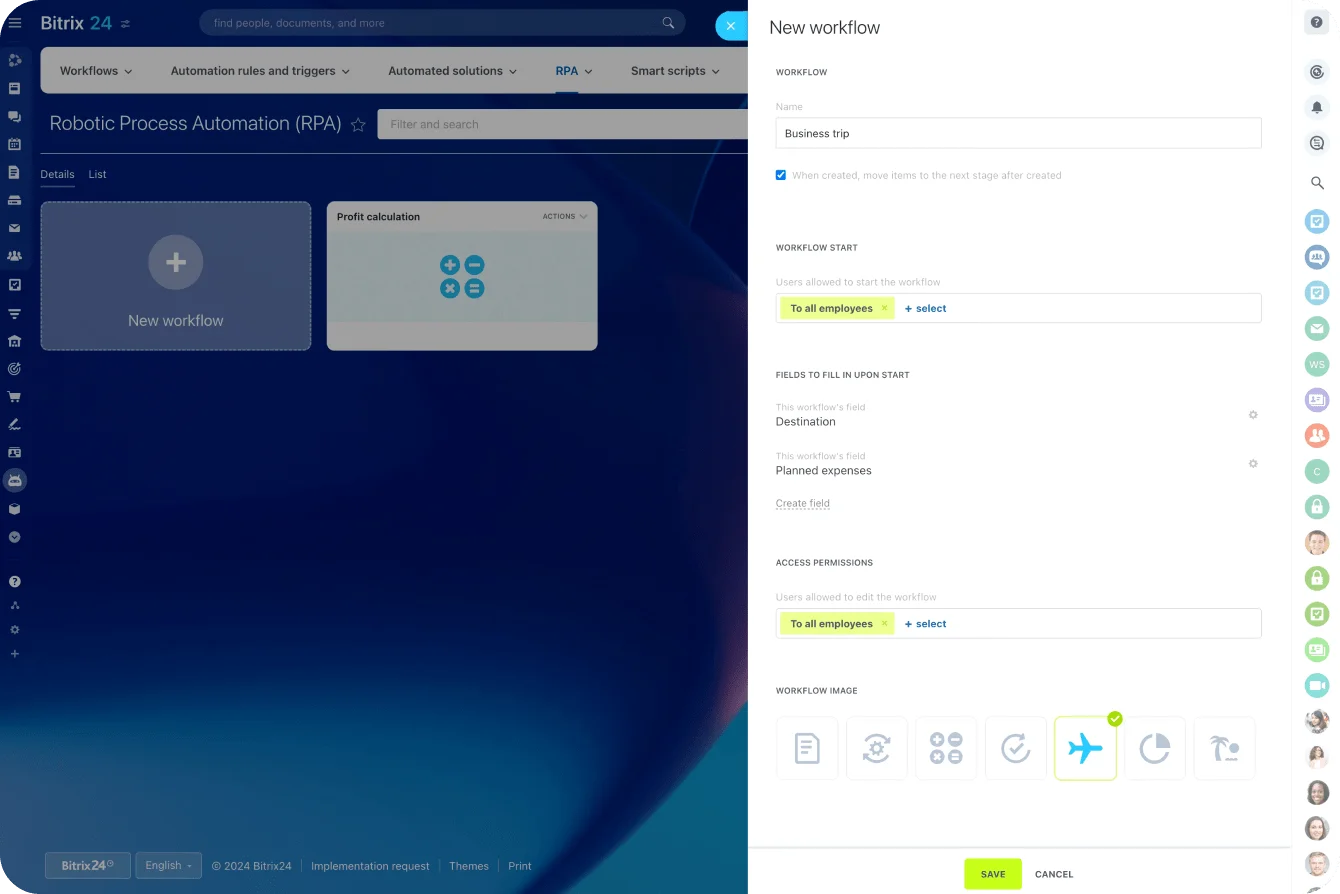
No-code workflow automation in Bitrix24 · © Bitrix24
What quietly erodes consistency in a multi-site group usually is not the CRM — it is everything around it. New supplier approvals, marketing spend sign-off, staff leave, incident reports, refurbishment requests. Bitrix24 covers these with no-code robotic process automation for standard business processes such as document approval, purchase requests and expense reports, built in a visual workflow editor that requires no programming. Bitrix24 claims up to 80% time savings on routine tasks; treat that as the vendor's own figure, but the direction of travel is right.
Beyond approvals, Smart Process Automation lets you create your own CRM entities and pipelines instead of forcing everything into leads and deals — a franchisee application funnel, a site inspection register, a supplier contract registry. For a franchisor, building the new-location onboarding pipeline first is often the single highest-value move.
Comparing branches without chasing spreadsheets
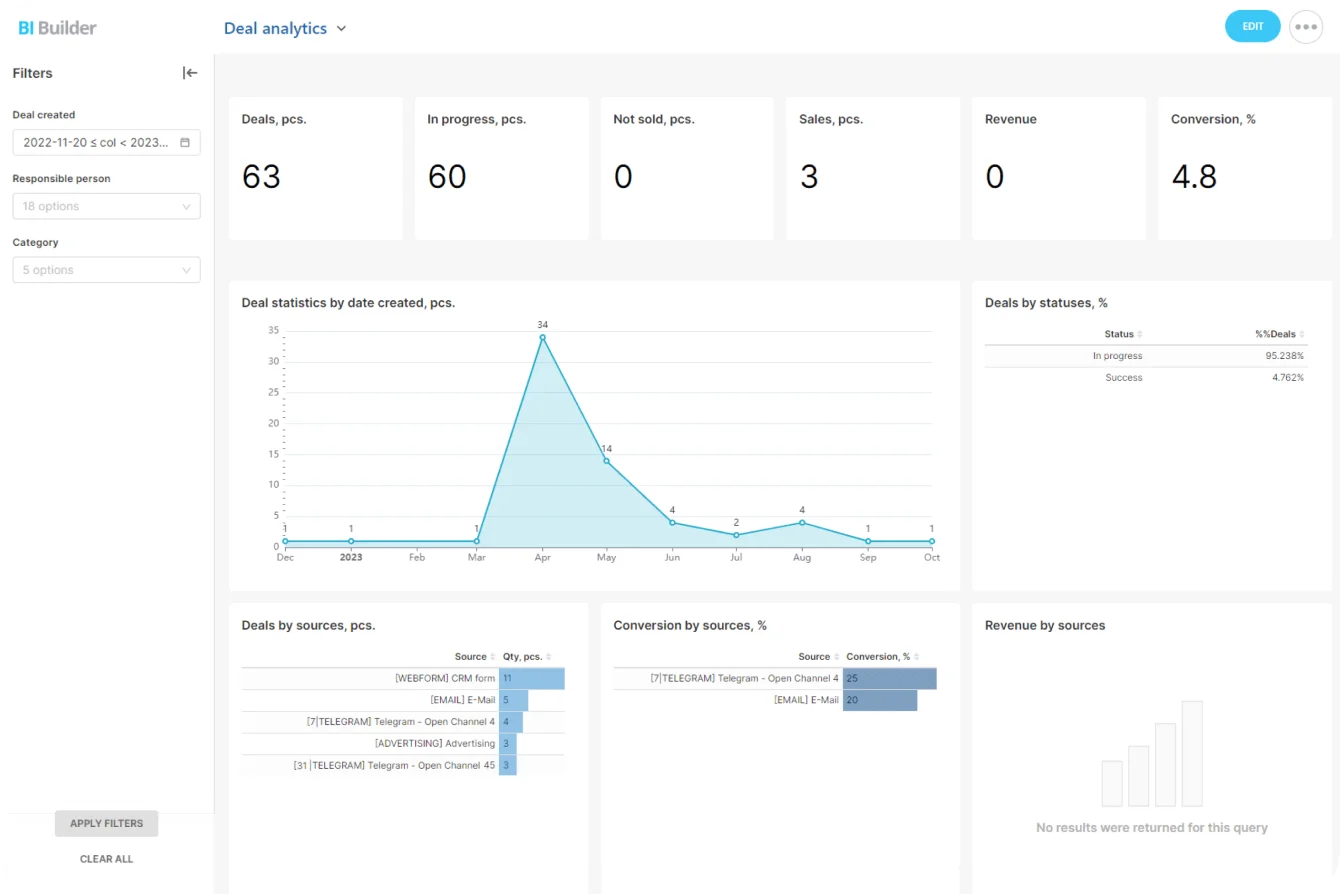
BI Builder dashboards in Bitrix24 · © Bitrix24
Head-office questions rarely change: which locations are converting, which are slipping, and who is actually hitting plan. Bitrix24's CRM analytics answer these natively — a sales funnel showing conversion rates at every stage, sales plan and dynamics measured against targets in both percentage and money terms, individual performance by deals won, and lead analysis broken down by source.
For group-level reporting, BI Builder produces editable reports and customisable dashboards from CRM data, using templates such as sales dynamics and deal analysis or ones you build yourself, with per-user access permissions governing who can view versus edit. That last detail matters in a franchise network: a regional manager should see their own cluster, not every location's numbers.
Opening a location and onboarding its people
Every new site repeats the same checklist: accounts, permissions, training, brand rules, the operations manual. Bitrix24's HR and information-management tools cover employee profiles, company structure and access permissions, plus a knowledge base for standard operating procedures — so the twentieth location gets the same onboarding as the second. Company-wide announcements and the activity feed give head office a channel that reaches every branch without a broadcast WhatsApp group. And because the mobile app carries CRM, tasks, chat and approvals, area managers can clear sign-offs from the car park between site visits.
What it costs
The pricing structure is the part worth understanding before you commit, because it is not a per-seat calculation. Bitrix24 charges a flat fee per account and states plainly on its Enterprise page that it never charges per user — plans are capped by a maximum user count instead. Enterprise itself spans 101 to 10,000 users and 3 TB to 100 TB of storage, and includes multiple branches with centralised branch management, 99.99% monthly uptime, AES-256 encryption, single sign-on and a 30-day backup retention window.
For a branch network the arithmetic is simply: the head-office account needs an active Enterprise plan, and each connected branch needs a paid plan of its own. Current figures live on Bitrix24's pricing page and are worth confirming with a partner, because the right structure changes the total cost significantly and is not obvious from a price list.
Where a partner comes in
Branch networks are one of the few Bitrix24 configurations where the structural decision matters more than the feature list. Plenty of multi-site companies do not need a branch network at all — a single account with departments, access permissions and multiple pipelines does the job for a fraction of the cost. Others genuinely need separate accounts for separate legal entities. Getting that call wrong is expensive to undo once real data is in the system.
That is the conversation B24 Biz Solutions starts with. As an official Bitrix24 partner working with franchise groups, dealer networks and multi-branch companies across the UAE, Middle East and South Asia, we map your ownership and reporting structure to the right Bitrix24 architecture, build the standard pipelines and approval workflows head office wants replicated everywhere, set up group-level dashboards, and roll out location by location so nobody's month gets disrupted.
Sources
- Bitrix24 Helpdesk — Bitrix24 branch network: connecting accounts, what stays separate per branch, branch menu actions
- Bitrix24 Helpdesk — Branch network operation: Enterprise requirement, paid-plan branches, domain zone, trial rules
- Bitrix24 — Rules for Multiple branches: administrator permissions for connecting and disconnecting branches
- Bitrix24 — Enterprise: user and storage limits, flat pricing, uptime, security, centralised branch management
- Bitrix24 — Analytics & reports: sales funnel, employee performance, BI Builder dashboards and permissions
- Bitrix24 — Business process automation: no-code RPA, Smart Process Automation, rules and triggers
Running more than one location?
We help franchise networks, dealer groups and multi-branch companies across the UAE, Middle East and South Asia choose the right Bitrix24 structure — single account or full branch network — then build the standard pipelines, approval workflows and group dashboards that keep every location consistent.
Book a free consultation →